

CFO-LEVEL STRATEGY.
RIGHT-SIZED FOR YOUR BUSINESS.
Services
-
Maximize your financial health with proactive strategies and meticulous preparation designed to minimize liabilities and ensure long-term growth. We transform tax season from a stressor into an opportunity for strategic wealth optimization.
-
Protect your legacy and provide for your loved ones with compassionate, expert guidance on complex fiduciary matters. We ensure your assets are transitioned smoothly while maintaining full compliance and tax efficiency.
-
Unlock diverse opportunities beyond the traditional market with deep-dive analysis and sophisticated management of unique asset classes. We help you navigate complex landscapes to build a resilient, high-performance portfolio.
-
Streamline your daily operations with precise, reliable financial tracking that keeps your business running like a well-oiled machine. Enjoy peace of mind knowing your records are flawless, allowing you to focus entirely on your core mission.Consulting for debt and equity restructuring and cash flow performance.
-
Navigate pivotal business transitions with confidence through expert due diligence and strategic deal structuring. Whether buying or selling, we advocate for your best interests to ensure every deal creates maximum value.Drive long-term growth and maximize enterprise value through strategic financial leadership, capital raising, and M&A transaction support.
-
Gain high-level financial leadership and strategic oversight without the overhead of a full-time executive. We partner with you to drive profitability, manage risk, and steer your company toward its most ambitious goals.
-
Turn your data into a roadmap for success with advanced forecasting and insightful performance metrics. We provide the clarity and foresight you need to make empowered, data-driven decisions for the future.

How to get started
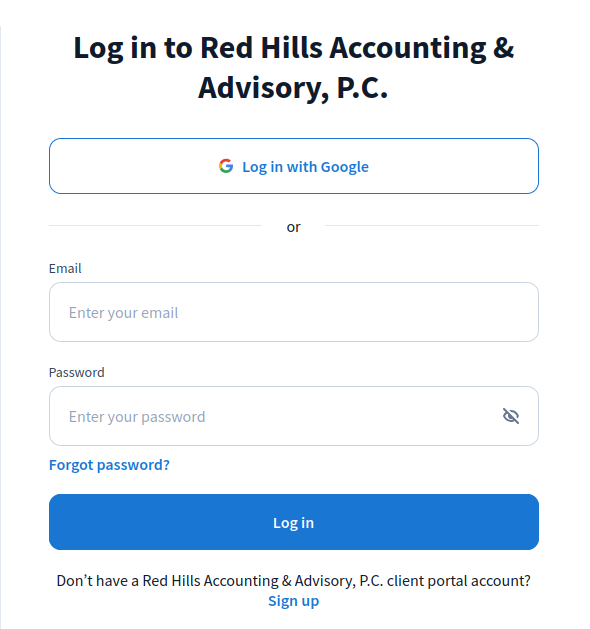
1: Create an account
Select “Client Portal” in the upper right corner of this website. You will be redirected to my accounting software: Tax Dome. If you do not already have an account, select “Sign Up”. Enter an email address and proceed with the next steps to finish creating your account.

2: Upload Documents
Once logged into Tax Dome, navigate to the “Docs” tab and then select “Upload Files” or just drag and drop files from your folder.

3: Schedule a meeting
I value your time and look forward to connecting. Please select a convenient window from my calendar to automatically schedule our session and receive a calendar invitation.